Goodbye winter blues, hello Spring ’26!
It’s that time of year again. The flowers are blooming, the birds are chirping, and Salesforce has just dropped its latest massive update.
We know what you’re thinking: “Another release? Do I really need to read 500 pages of release notes?”
Nope. We did it for you.
The Spring ’26 release is less about adding complicated new tools and more about making the tools you already have faster, smarter, and way easier to use. It’s about “spring cleaning” clunky processes and letting automation handle the heavy lifting.
Here is your super-simple breakdown of the best stuff blooming in Salesforce this season.
1. Einstein Just Got a Massive Personality Upgrade
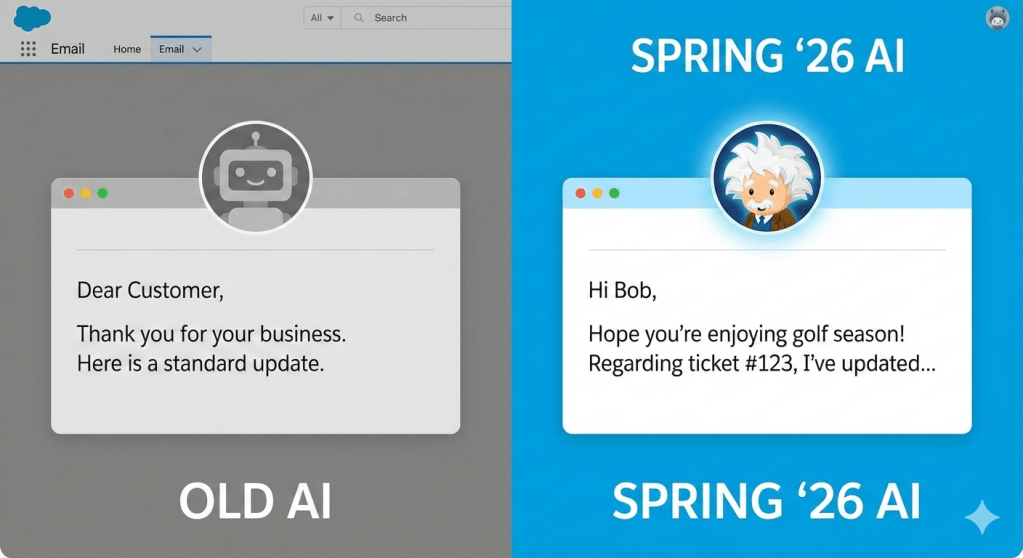
Remember when Einstein used to just suggest next steps? That’s so 2024.
In Spring ’26, Einstein AI has become unprecedentedly personalized. It doesn’t just generate generic emails anymore; it learns your specific tone of voice and the historical context of your relationship with a customer.
In plain English: Imagine drafting an email to a long-time client. Einstein will now pop up and say, “Hey, I noticed you usually joke with Bob about golf. Here’s a draft email that includes a friendly golf reference and addresses his open service ticket.”
It’s less robotic, more human.
2. Salesforce Flow: Now “No-Code” Really Means No-Code
Let’s be honest: Salesforce Flow is powerful, but it can sometimes feel like you need a computer science degree to build a complex one.
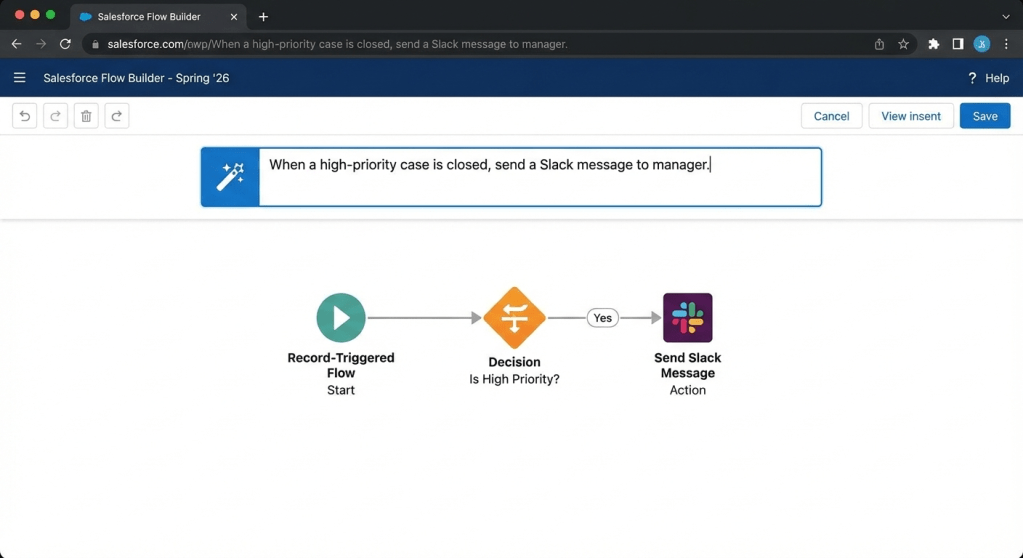
Spring ’26 changes the game with the new “Natural Language Flow Builder.”
Instead of dragging dozens of complicated boxes and arrows, you can now type what you want to happen in a text box, and Salesforce builds the Flow structure for you.
In plain English: You type into a box: “When a high-priority case is closed, send a Slack message to the manager.”
Boom. Salesforce instantly creates the elements on the canvas for you. You just tweak the details. It’s automation magic.
3. The “Speed Demon” Interface Update
Sometimes the best features aren’t new buttons, but speed.
Salesforce has done some serious under-the-hood engineering for Spring ’26. They are calling it “Lightning Velocity,” and the focus is purely on page load times.
In plain English: Opening records, switching between tabs, and saving data is noticeably snappier. Less staring at loading spinning wheels, more getting work done. It feels cleaner, lighter, and faster.
4. Data Cloud for the Rest of Us
For a while, “Data Cloud” felt like something only massive enterprises with huge data teams needed to worry about.
Spring ’26 makes connecting your data incredibly simple with “One-Click Connectors.”
Do you have customer data sitting in an old Google Sheet? Or maybe a Shopify store? This update makes pulling that data into Salesforce so you have a single view of your customer easier than ever.
In plain English: You stop having five different tabs open trying to figure out what a customer bought and why they are emailing support. It’s all right there on their Salesforce contact record, without needing a developer to set it up.


