If you are wondering do we have dashboard where we can check all the security settings of your org.
The Answer is YES!
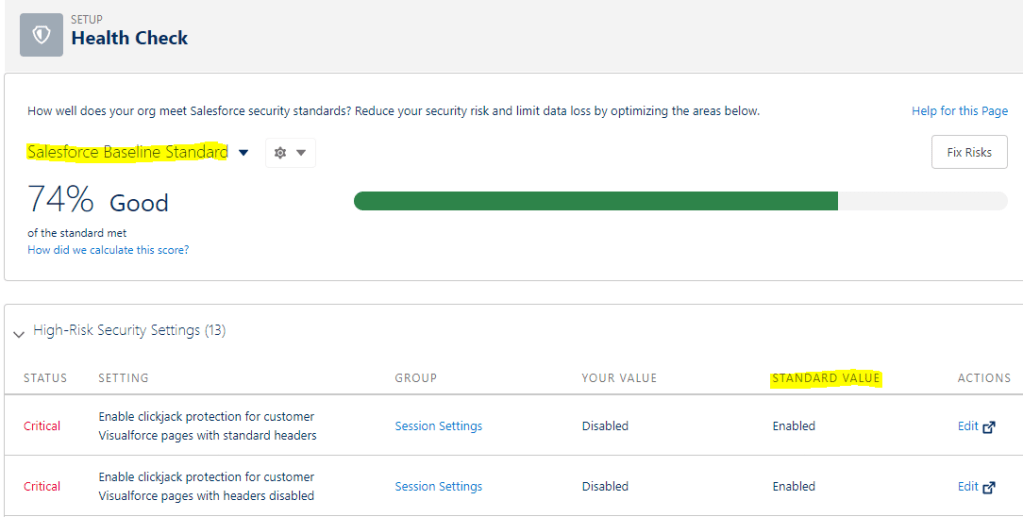
Salesforce provides a dashboard named Health check which gives you an ability to know all about your org’s security settings.
You can find it in ‘SETUP’
Setup –> Quick Find Box –> type –> Health Check
- It helps you to identify any vulnerabilities to your system and fix them.
- It has the scales between 0-100. 100 know for more secured
- You can upload your custom Baseline to measure the security . Salesforce Baseline standard is default baseline
- 4 types of Risk: High Risk, Medium Risk, Low Risk, Informational
- As an standard value, salesforce provides a recommended value against all the risk that can be minimized.

 crazysfdc.com